
Get paid without chasing anyone.
Create a professional invoice in a minute. If it isn't paid on time, we follow up for you — politely, automatically, and only the way you'd want it done.
Free to start. No credit card, nothing to install.
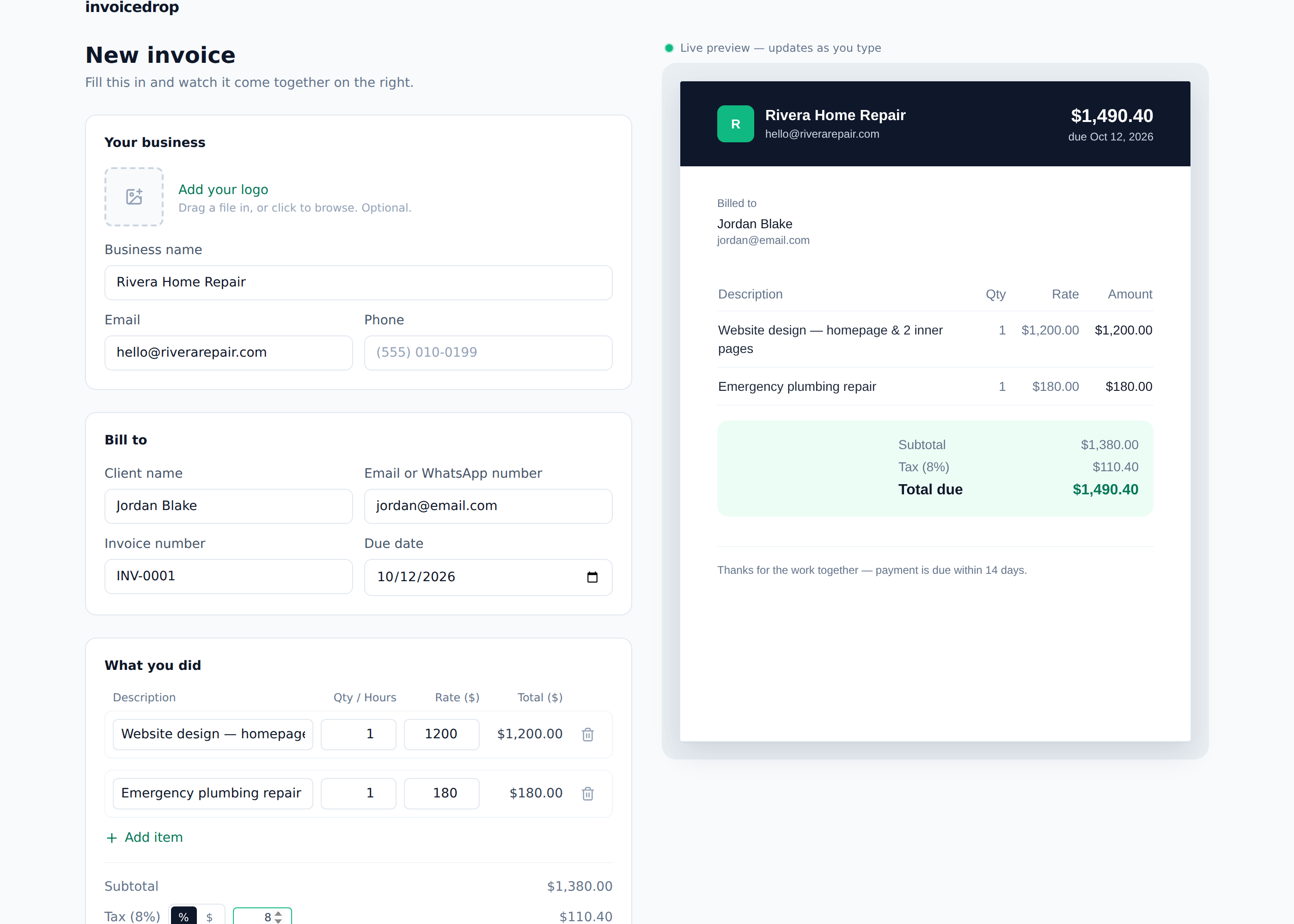
How it works
Four steps, and the third one is the whole point — that's the part you don't have to do yourself anymore.
- 01
Fill it in
Business name, client, what you did. The total updates as you type, and it already looks like a real invoice — not a template.
- 02
Send it your way
Email, text, or WhatsApp — whichever your client actually checks. One click, and it's on its way.
- 03
We follow up so you don't have to
Not paid by the due date? A friendly reminder goes out, then a firmer one a week later. If they push back on the work itself, we pause immediately and text you — we never negotiate that part for you.
- 04
Get paid, straight to your account
Once they pay, the invoice is marked paid automatically. Nothing to track down, nothing to remember.
Simple pricing, no surprises
Start free. Upgrade only when you actually need more.
Free
$0
Send up to 30 professional invoices a month, for free.
- Up to 30 invoices a month
- Email reminders
- 3 invoice styles
- Pauses and alerts you if a client disputes the work
Starter
$4.99 / month
For when 30 invoices a month isn't enough.
- Unlimited invoices
- No InvoiceDrop footer
- Email reminders
Pro
$9.99 / month
Text reminders and payment plans get you paid faster.
- Everything in Starter
- Text and WhatsApp reminders
- Choose a gentle, standard or firm tone
- Split payments and payment plans
Agencies
$19.99 / month
Run every client's invoices from one screen.
- Up to 20 clients, 3 team logins
- All-clients dashboard
- One-click reminders for everything overdue
- QuickBooks and Xero sync
- 300 texts a month included
Questions, answered
Do I need to install anything?
No. InvoiceDrop runs entirely in your browser — open the page, make an invoice, send it. Nothing to download.
Does my client need an account to pay?
No. They get a link, they view the invoice, they pay. No login, no app for them either.
What happens if a client disputes the invoice?
AI Recovery pauses immediately and alerts you. It never argues about the quality of your work on your behalf — that conversation stays with you.
Can I turn AI Recovery off?
Yes, any time, per invoice. You'll just need to follow up yourself if it isn't paid.
Is there a contract?
No. Every plan is month-to-month — upgrade, downgrade, or cancel whenever you like.
I manage invoices for more than one client — is that a problem?
That's exactly what the Agencies plan is for: one dashboard for every client you manage, instead of logging into a separate account for each.